 Cookies - What are they and why
you should care
Cookies - What are they and why
you should care
Cookies are small pieces of text which are stored in your computer as you visit web
sites.
A web site will place a cookie into your machine to help the website
recognize you .

|
|
The Good Side...
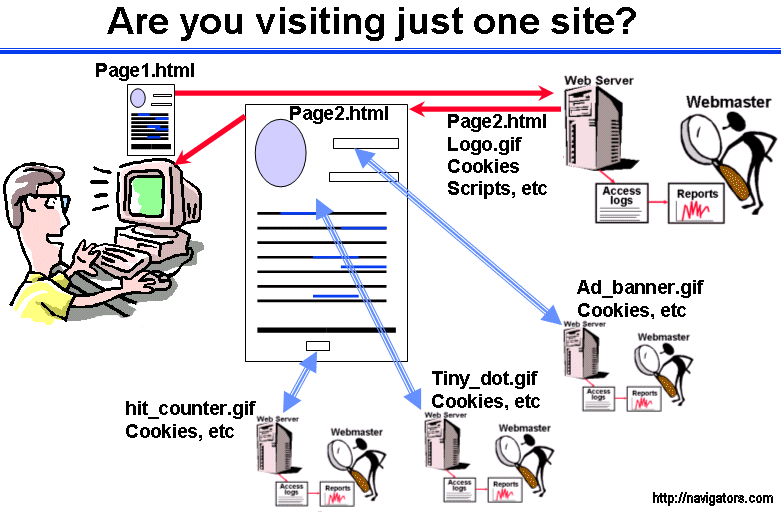
This can be very useful (and necessary) when customizing a web site or accumulating items in a shopping basket. Without cookies, a web site would have to treat every person as a "stranger", and would be unable to present a user with personalized content. For example, if I choose to be an ongoing customer of Amazon.com, I consider it "pretty good marketing/customer service" that they can:
Amazon is able to provide these features by writing and reading a line of text (cookie) on my machine that contains not much more information than: "amazon.com customer ID=some_long_unique_number"
The Bad Side...

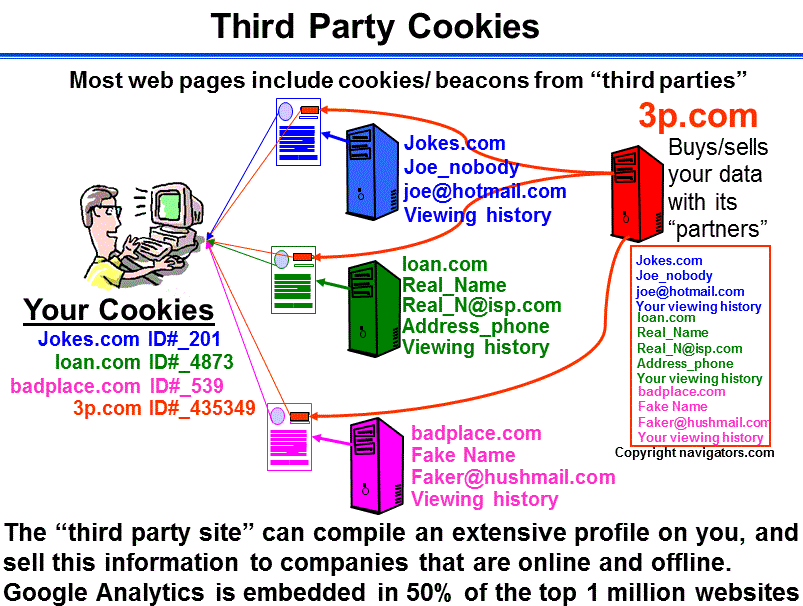
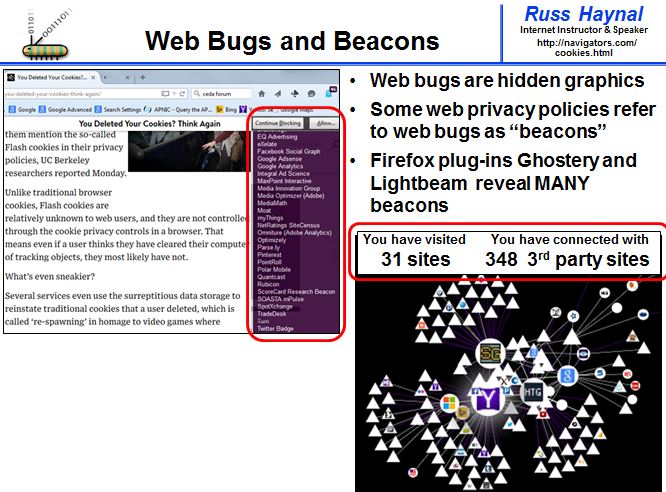
The greatest concern with cookies is when they come from third party web sites. For example, an advertising company may handle the advertising banners you see displayed on thousands of different web sites. As you visit a web page, the advertisement banner (And its own cookie) may be downloaded from the ad_company's server. It is possible for a major company such as Doubleclick/Google to develop an extremely detailed profile of your web surfing patterns including which sites you have visited, what key words have you searched for, etc.
A well-written cookie will contain only obscure user IDs that make sense only to the
web site that reads/write that cookie. A poorly written cookie will contain your
real name, real email address etc. Also a word of caution, you may discover domain
names in your cookies which suggest that your computer was used to visit "adult_only
sites" Your computer may or may not have actually visited such
sites. Many such cookies can be placed into your machine from the advertising
banners from an "accidental page" For example if a family member
accidentally went to whitehouse.com instead of whitehouse.gov, they may have received many
cookies from pornography banners. (I just want to make sure I don't accidentally
cause any divorces based on sneaky cookies being discovered in your computer)
| For more information |
|
|

Contact me at 703-729-1757 or Russ
'at' navigators.com
If you use email, put "internet training" in the subject of the
email.
Copyright © Information Navigators