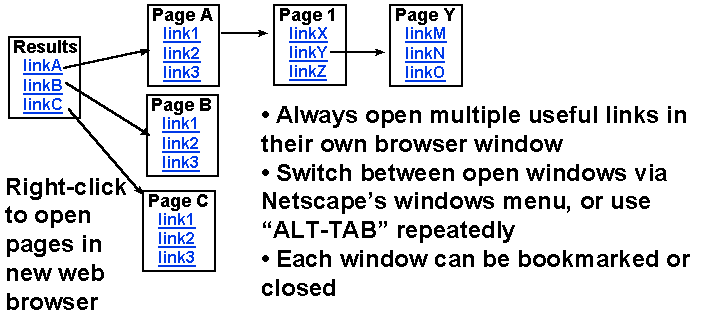
Whenever you see 2 or more interesting links to pursue, go ahead and
explore all of them simultaneously by following the advice on this page.

Right-click on one of the desired links using the right mouse button
A pop-menu appears - select "open link in new browser window"
This will launch a new web browser window which will access the desired link.
While waiting for this new page to download... return to your first web
browser window to explore other links. The easiest way switch back to your
other browser window is to use "alt" - "tab" (hold down the alt key... click
on tab just once (still holding the alt key), now you can let go of the alt
key
You should now be looking at your original web browser window.
Right-Click on additional interesting links on this page, causing each promising
lead to open up in its own browser window.
Once you have 5-10 browser windows open, you can easily scan through these
many windows by: holding down the alt key (continuously), click on the tab key
(tab, tab, tab). IN the pop up menu that appears you will see many
icons, each one representing an open window. The title of each window is
displayed as you "tab" through them. Once the icon you are interested in
is highlighted, you can finally let go of the alt key.